Choose a supported connection
Switch 2 Pro supports USB or Bluetooth; Joy-Con 2 uses Bluetooth. Original supported Switch Pro and Joy-Con models have different capabilities. Select the connected controller and configure the active profile rather than assuming every option on this page is available on every model.
Use Joy-Con 2 as a desk mouse
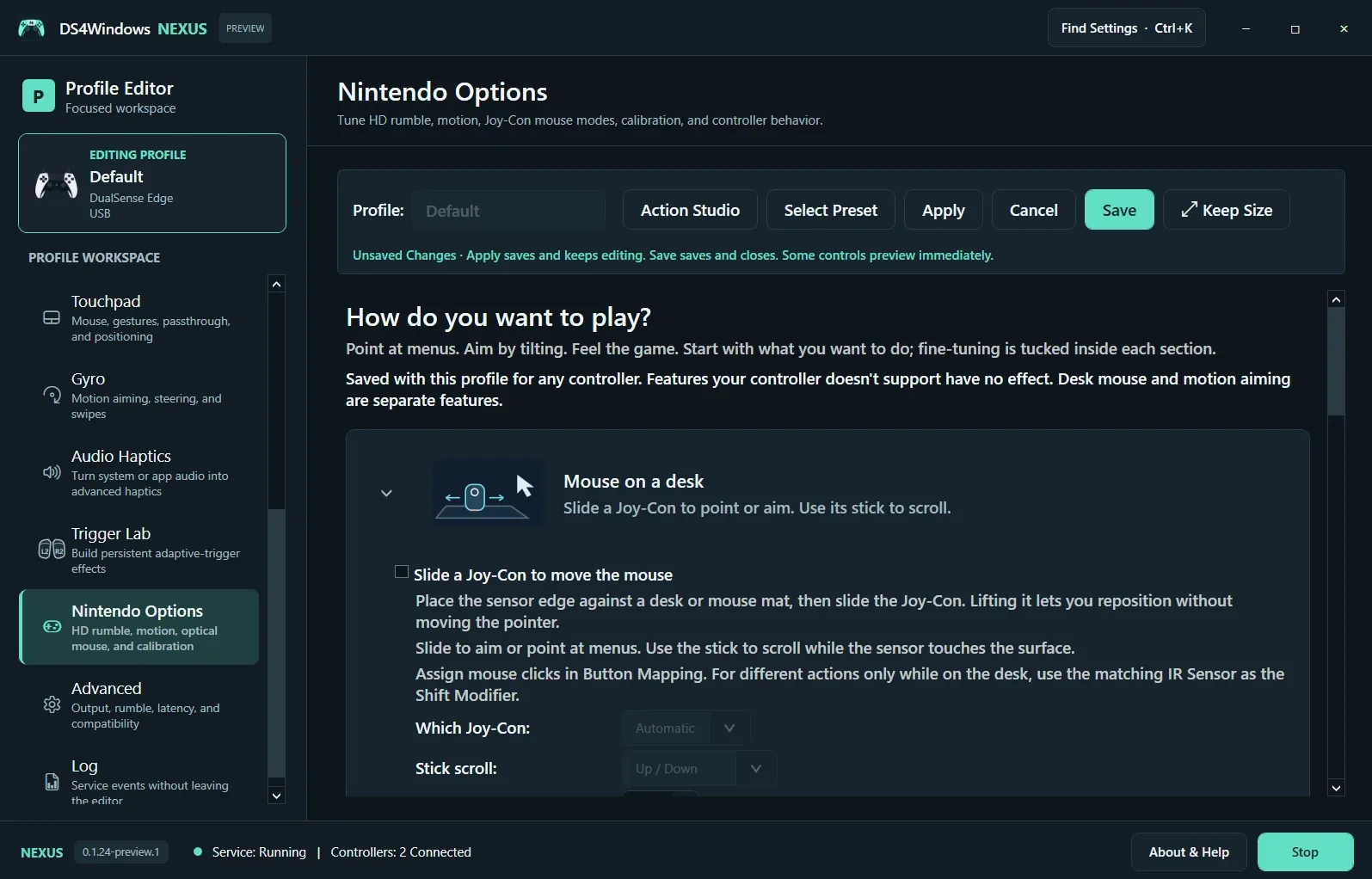
Enable Slide a Joy-Con to Move the Mouse. Place the sensor edge on a suitable desk or mouse mat and slide it; lift it to reposition. Choose which Joy-Con is used and configure stick scrolling. Assign mouse clicks in Button Mapping. Optical desk input and gyro aiming are separate features.
Tune feedback and motion
Use the relevant sections for HD rumble, motion and calibration. Settings may be stored in a profile even when the connected controller cannot use them. Translated game haptics are adapted to Nintendo motors; they cannot create physical adaptive-trigger resistance. Test paired and single Joy-Con arrangements separately after changing pairing or motion settings.
Screenshot values are examples, not recommended settings for every controller. Save a separate profile before experimenting.