
Select the physical controller
Choose the intended DualSense or Edge, then open Trigger Lab. Local adaptive-trigger testing does not require a game. USB and Bluetooth are supported. On Edge, use the long trigger-travel setting and check onboard effect intensity before comparing resistance.
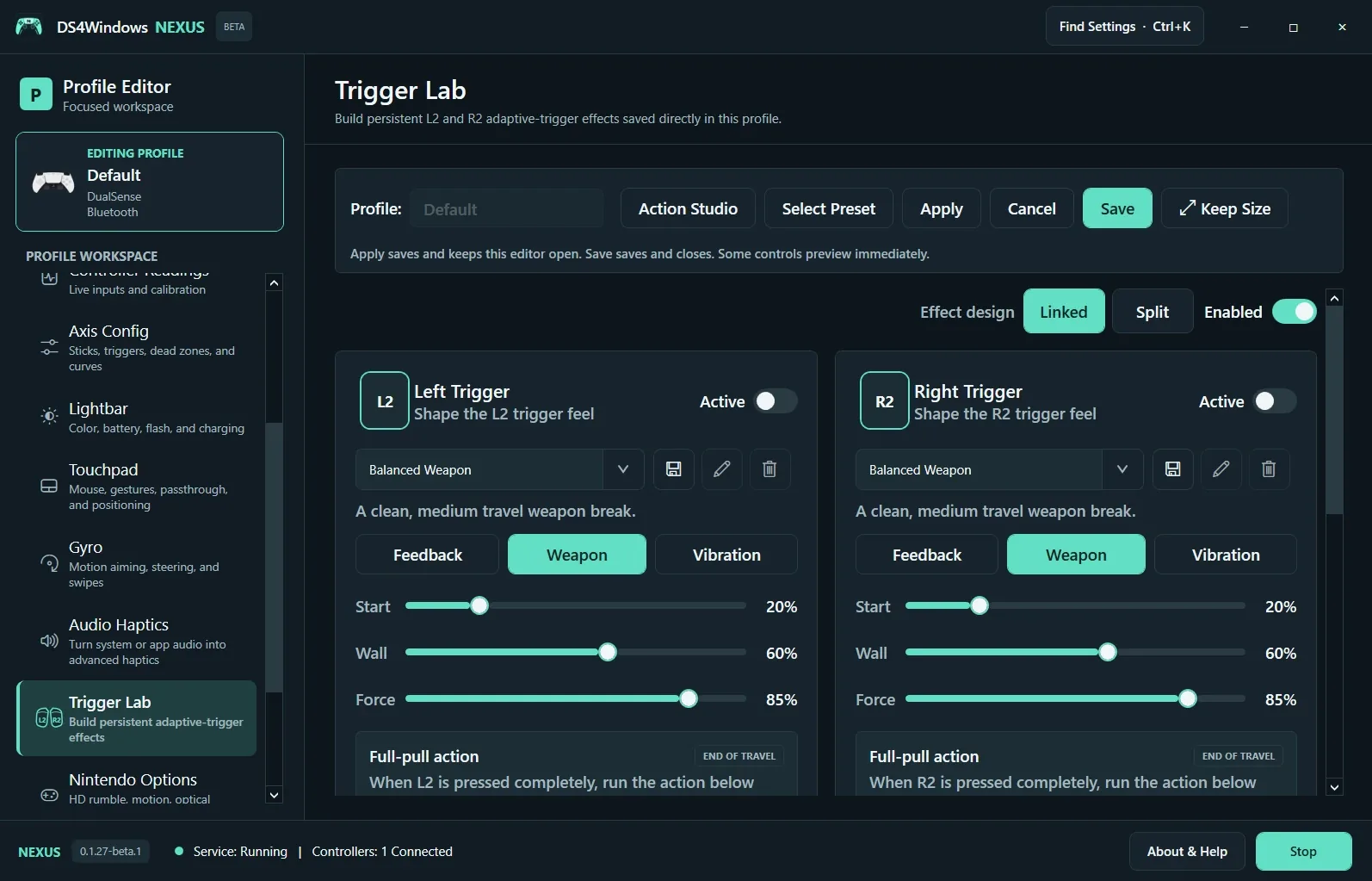
Build the effect
Linked shares an effect design; Split allows independent L2 and R2 designs. Each trigger has its own Active state. Choose Feedback, Weapon or Vibration, then adjust the controls exposed by that mode. Start, Wall and Force describe different parts of the effect. Begin gently and run a short test while squeezing the physical trigger.
Save and return control
Save the profile to keep the design. A Lab Override can replace game-driven effects; stop the local test and restore the intended ownership before checking a game. Full-pull actions run a mapped action at the end of travel and should be tested separately. Successful software submission is not proof of felt resistance: report what you actually feel if an effect fails.
Screenshot values are examples, not recommended settings for every controller. Save a separate profile before experimenting.