Define an action
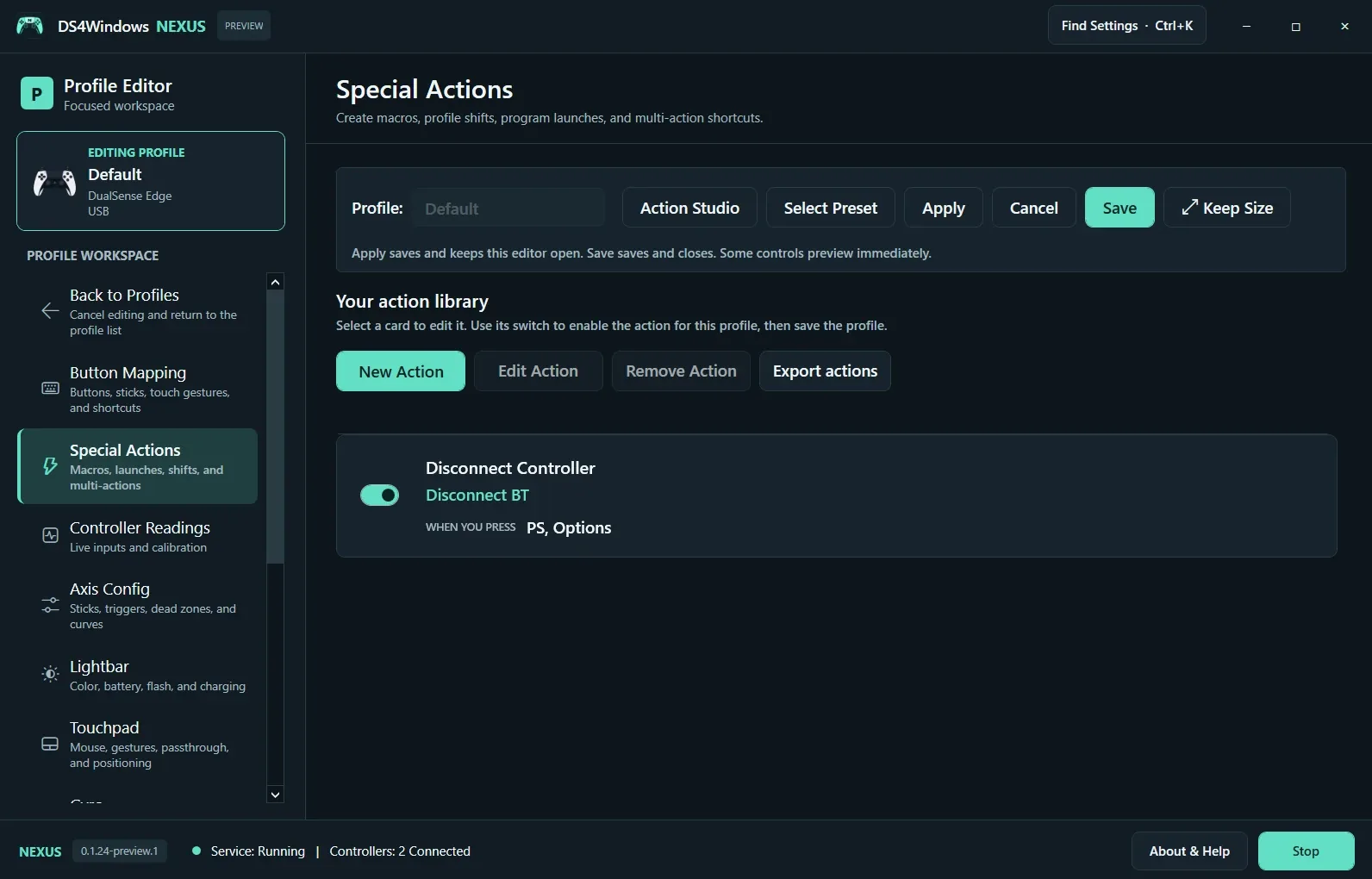
Open Special Actions in the profile editor and select New Action. Choose the trigger combination and action type. A disconnect shortcut, profile switch, macro and program launch have different consequences; give the action a name that describes what it actually does. Use a combination you will not press during ordinary gameplay.
Enable it for this profile
Select a card to edit its definition. Turn on its switch to enable the action for the current profile, then save the profile. Creating a shared action definition does not automatically mean every profile will run it. Likewise, cancelling profile edits does not remove a shared definition you created.
Test and share carefully
Test one action at a time outside an important game session. For macros, verify key release behavior and avoid a sequence that keeps a key held unintentionally. Export Actions when you want to share definitions. Review imported launch paths and macro sequences before enabling them; a name alone does not describe everything an action can execute.
Screenshot values are examples, not recommended settings for every controller. Save a separate profile before experimenting.