Choose the profile color
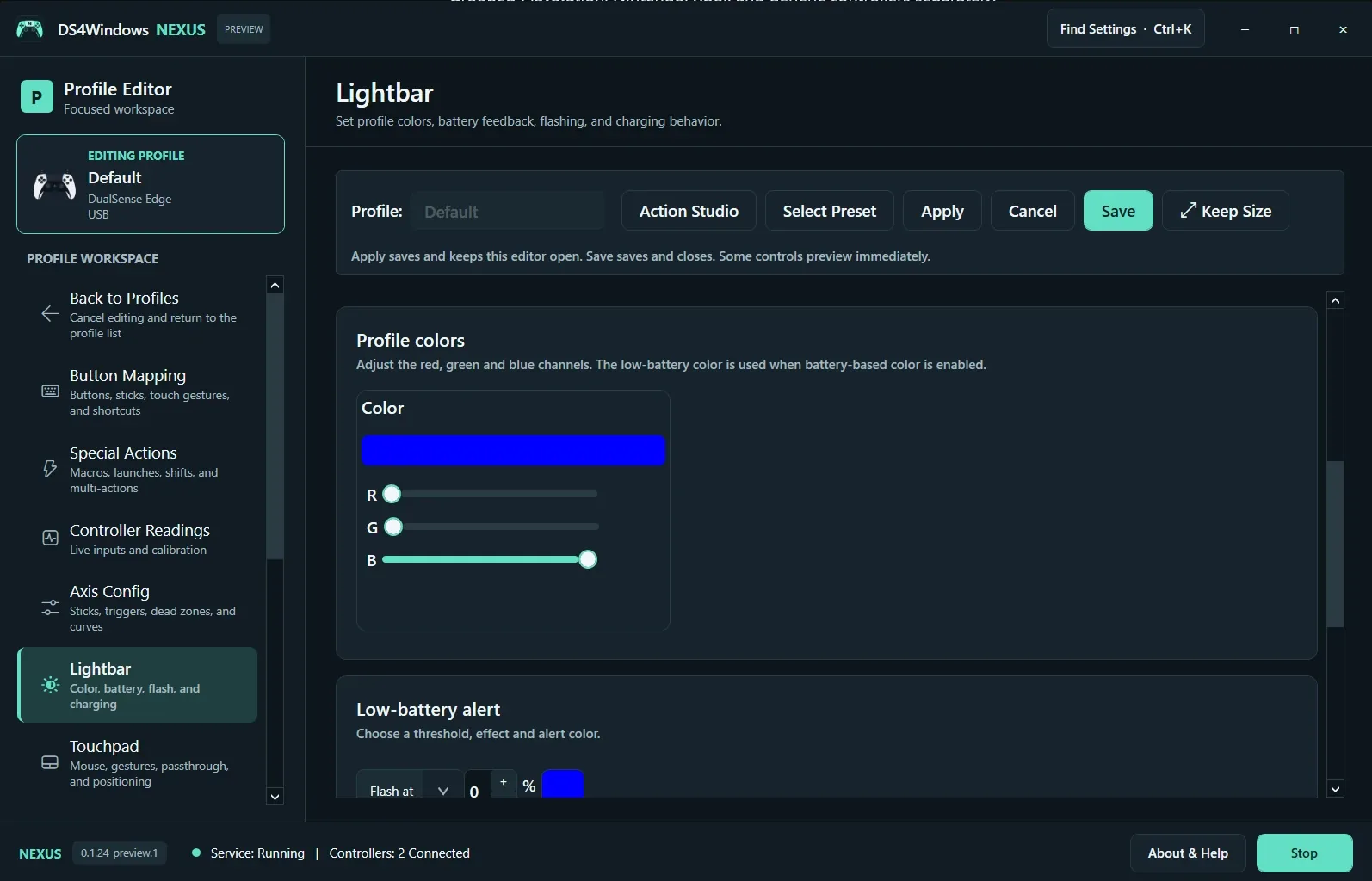
Open Lightbar in the profile editor. Adjust the red, green and blue channels while watching the supported controller. The preview color is a setting, not a guarantee that every controller has a lightbar. Save the profile when you want to keep the result.
Set battery behavior
Configure the low-battery threshold, effect and alert color. Check charging and battery-based color options before assuming a fixed profile color should always remain visible. Test the alert behavior with a sensible threshold; the supplied screenshot illustrates the interface, not a recommended battery configuration.
Check ownership
A supported game or device-level feedback setting can take control of lighting. If the chosen color changes when a game starts, inspect game-versus-profile ownership in Controller Setup. Test lighting separately from rumble and triggers. Nintendo and generic devices should not be assumed to expose PlayStation lighting features.
Screenshot values are examples, not recommended settings for every controller. Save a separate profile before experimenting.